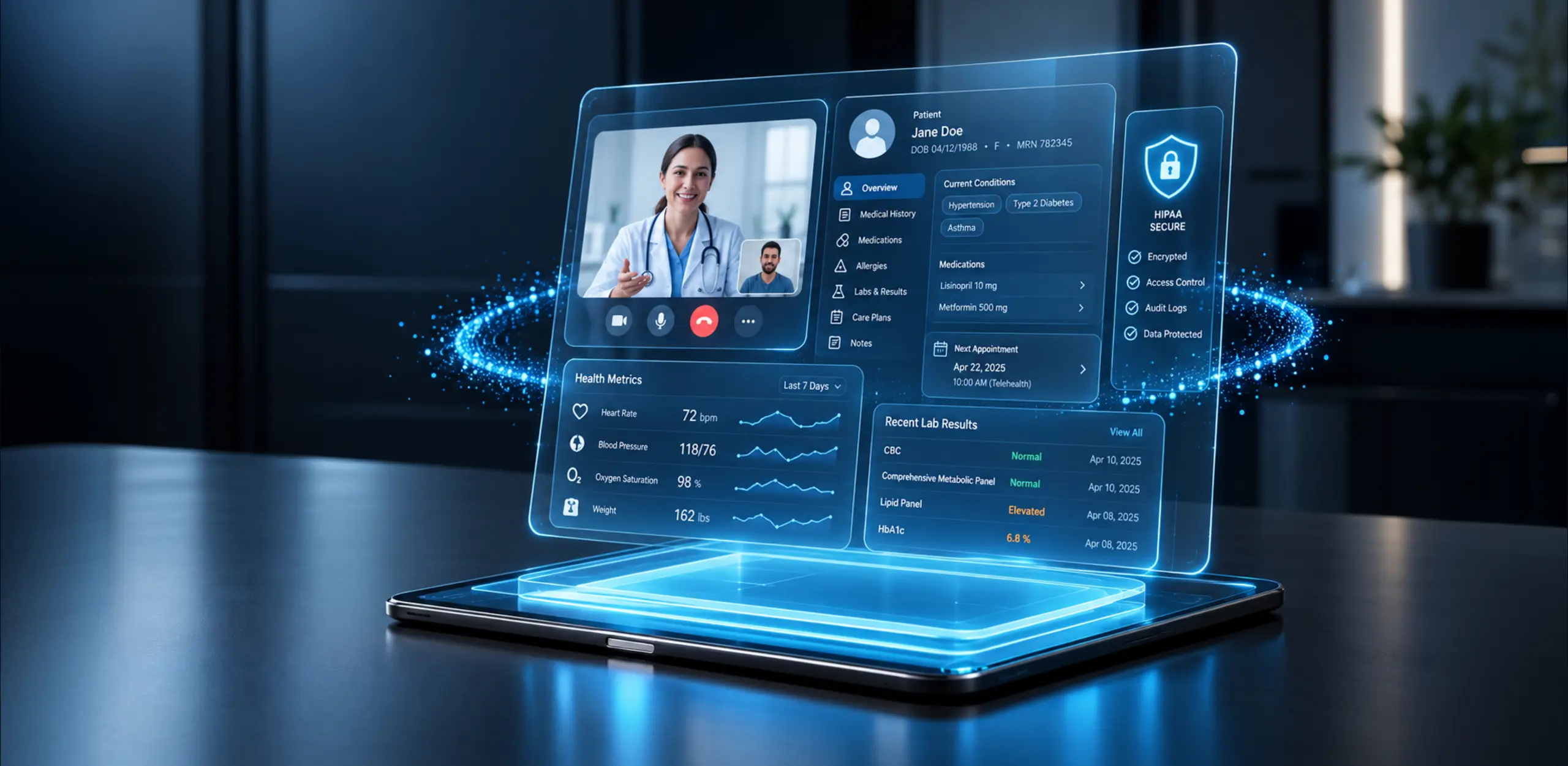

Over the past decade, business communication has moved from legacy phone systems toward a mix of calling, video meetings, messaging and collaboration tools. UCaaS (Unified Communications as a Service) is a cloud-based delivery model that brings many of these communication capabilities together in one managed environment, reducing or eliminating the need to operate traditional on-premises PBX infrastructure.
This guide explains what UCaaS is, what it stands for, how it works, the communication capabilities it commonly includes, its benefits and limitations, how it compares with VoIP, CCaaS and CPaaS, and when a business should consider custom real-time communication instead.
What Is UCaaS?
UCaaS (Unified Communications as a Service) is a cloud-based delivery model that consolidates business communication channels, including voice, video, team messaging, and presence, into a single managed cloud platform.
Organizations subscribe to a UCaaS provider rather than operating the underlying communication infrastructure themselves. Instead of maintaining an on-premises PBX for telephony, a separate video conferencing product and another system for messaging, employees use these services through a managed cloud platform, often on a per-user or service-tier basis.
Modern UCaaS platforms commonly combine capabilities such as:
- Cloud business telephony, including VoIP, call routing and voicemail
- Video and audio conferencing
- Team messaging and persistent chat
- Presence and availability status
- File sharing and collaboration in the context of conversations
- SMS and voicemail handling, depending on the platform and region
- Business application integrations such as CRM, helpdesk and identity systems
- Centralized administration, analytics and communication-quality reporting
In practice, a project team can start with a video meeting, share a screen to review requirements, save the recording to the project channel and continue the discussion over chat without switching platforms. A sales representative can also move the same business number between a laptop softphone and a mobile app while travelling.
The provider operates the underlying infrastructure, platform updates, availability and core platform security controls, while the customer remains responsible for identity, access, configuration and organizational policies.
For businesses that need communication inside their online application rather than as a separate employee tool, Enfin also develops real-time communication applications using WebRTC and related technologies.
Elevate your app's communications.
Get tailor-made real-time communication solutions built for your workflow.
What Does UCaaS Stand For?
UCaaS stands for Unified Communications as a Service. It refers to cloud-hosted communication software where the provider manages the underlying PBX, media routing, and server infrastructure over the internet.
- Unified: Voice, video, messaging and content sharing operate as one communication environment rather than disconnected tools.
- Communications: This can include voice calls, video meetings, messaging, presence, SMS and related collaboration capabilities.
- As a Service: The underlying infrastructure is hosted and operated by the provider and delivered over the internet. Customers subscribe to the service rather than purchasing and maintaining the underlying servers.
When an organization moves to UCaaS, it typically shifts some or all of its communications infrastructure from on-premises systems to a cloud-based service.
How Does UCaaS Work? (UCaaS Architecture Explained)
UCaaS can be understood through three practical layers:
- Provider cloud infrastructure: The vendor operates the service infrastructure that handles call control, media routing, messaging, storage, redundancy and other platform functions.
- Internet-based delivery: Voice is transmitted using Voice over Internet Protocol (VoIP). WebRTC is widely used for browser-based real-time audio, video and data communication. Service quality depends on bandwidth, latency, jitter and network configuration, which is why enterprise deployments often include network-readiness and QoS planning.
- Endpoints and administration: Users connect through desktop applications, mobile apps, web clients and supported IP phones or video hardware. Administrators use a central portal to provision users, assign numbers, define call flows and monitor adoption and call quality.
UCaaS Architechture

For teams evaluating media-server architecture underneath custom real-time communication products, see Enfin’s Janus vs Mediasoup vs LiveKit: Best WebRTC Media Server for Scalable Video Apps
Implementation is usually phased: assess requirements, pilot with one group, port numbers during an appropriate migration window, integrate identity and business applications, train users, and monitor performance before full rollout. Migration timelines vary by organization size, number portability, integrations, existing infrastructure, network readiness and rollout strategy.
UCaaS and Real-Time Communication
Real-time communication is at the core of many UCaaS capabilities. UCaaS brings communication services such as voice calling, video meetings, messaging, and presence together into a managed cloud platform, while RTC technologies enable these interactions to happen with little or no intentional delay.
UCaaS platforms can use different communication technologies depending on the capability and architecture, including VoIP for internet-based voice and WebRTC for browser-based real-time audio, video, and data communication. WebRTC is particularly useful when real-time communication needs to be built directly into web applications or custom products rather than delivered through a standalone communication platform.
This distinction is important: UCaaS describes how communication services are delivered and managed, while RTC describes the real-time communication experience and technologies that support it. For businesses, UCaaS is typically used as a ready-made communication environment, whereas RTC technologies such as WebRTC can be used when communication needs to become part of a custom product experience.
For a broader view of how real-time communication is evolving, see Enfin’s guide to what’s next for real-time communication.
Key UCaaS Communication Capabilities
Whether purchased as part of UCaaS or built into a custom product, modern real-time communication systems commonly combine several of the following capabilities:
- Business telephony: Voice calls over IP networks with auto-attendant, call routing, forwarding, recording and voicemail.
- Video conferencing: HD video, screen sharing, meeting chat, live captions, recording and breakout rooms for collaboration, client meetings and webinars.
- Team messaging: Direct messages, topic-based channels, searchable history and file attachments that reduce internal email volume.
- Unified messaging: Voicemail, SMS and notifications consolidated into a single inbox or communication workspace.
- Presence and mobility: Real-time availability status and the ability to move conversations between desktop and mobile experiences.
- File sharing and collaboration: Document sharing, co-editing and whiteboarding in the context of a meeting or channel.
- Integrations and APIs: Connection to CRM, ERP and helpdesk systems for click-to-call, call logging, meeting launch and workflow automation.
- Administration, analytics and reporting: Centralized provisioning, call-quality monitoring, usage analytics, policy management and reporting.
For product teams that need these capabilities inside their own application, explore Enfin’s WebRTC development services.
For messaging-heavy products, see Chat and Messaging App Development.
What Are the Benefits of UCaaS?
- Reduced upfront infrastructure needs compared with maintaining a traditional on-premises PBX environment
- Centralized communication management for users, numbers and policies
- Easier support for hybrid and distributed teams
- Simpler onboarding and user administration
- Better integration between calling, meetings and messaging
- Greater flexibility across devices and locations
UCaaS can reduce upfront infrastructure spending while shifting more expenditure toward recurring subscription and service costs. It also introduces dependencies on provider availability, internet connectivity, licensing models and interoperability with existing systems. A realistic total-cost model and a trial on the actual network are important before a long-term commitment.
UCaaS vs VoIP: What Is the Difference?
VoIP is primarily a technology for transmitting voice calls over IP networks. UCaaS is a broader cloud communication model that can combine VoIP with video meetings, messaging, presence, collaboration and other services.
Dimension | VoIP | UCaaS |
Primary purpose | Internet-based voice | Unified communications |
Video | Optional or separate tool | Common, often built in |
Messaging | Not inherent | Common |
Presence | Not inherent | Common |
Administration | Depends on the solution | Centralized |
Delivery | Can be on-premises or cloud | Cloud delivery model |
If you only need to replace phone lines with internet calling, VoIP may be sufficient. If you need calling, meetings, messaging and centralized management in one environment, UCaaS is usually the broader category to evaluate.
UCaaS vs CCaaS vs CPaaS: Key Differences
Dimension | UCaaS | CCaaS | CPaaS |
Main purpose | Employee communication | Customer support | Embed communication into applications |
Typical users | Employees | Contact-center agents | Developers / product teams |
Delivery | Ready-to-use platform | Contact-center platform | APIs / SDKs |
Interface | Ready-made apps | Agent / supervisor desktops | Custom UI you build |
APIs / SDKs | Limited / varies | Moderate | Core feature |
Custom workflows | Limited | Moderate | High |
Custom branding | Limited | Limited / moderate | High |
Deployment speed | Fast | Moderate | Depends on build |
Example use | Team calling and meetings | Support queues, IVR | In-app video calling |
UCaaS: A ready-made environment for employee calling, meetings and messaging.
CCaaS: A contact-center environment for queues, IVR, routing, agent desktops and omnichannel customer support.
CPaaS: APIs and SDKs that let product teams embed voice, video, SMS and messaging into their own applications.
Simple rule: need employees to communicate? Evaluate UCaaS.
Need to run customer support? Evaluate CCaaS.
Need communication inside your product? Evaluate CPaaS or custom RTC development.
When Should a Business Choose UCaaS?
UCaaS is usually a good fit when a business wants:
- Employee calling, meetings and messaging in one environment
- Centralized administration for users and policies
- Cloud-based communication instead of managing PBX infrastructure
- Support for hybrid or distributed teams
- Integrations with business applications
If communication is a core feature of your own product and you need custom workflows, UI, branding or in-app communication, CPaaS or custom WebRTC development may be a better fit.
When UCaaS Stops Being Enough
From our experience designing real-time communication systems, a common pattern is that UCaaS works well until communication becomes part of the product experience itself. At that point, the buying decision changes from “Which collaboration platform should we deploy?” to “How much control does our product need over communication?” Organizations reaching this threshold often transition to custom architectures using dedicated WebRTC development services to gain total platform ownership.
Requirement | UCaaS | CPaaS | Custom WebRTC |
Employee communication | Excellent | Poor fit | Overkill |
Embedded in-app video | Limited | Good | Excellent |
Custom UX / workflows | Limited | Moderate | Excellent |
Full branding control | Limited | Moderate | Excellent |
Infrastructure control | Low | Moderate | High |
Compliance customization | Limited | Moderate | High |
Time to launch | Fast | Fast to moderate | Longer |
Ongoing ownership | Low | Moderate | High |
Choose UCaaS when: you need standardized employee communication quickly.
Choose CPaaS when: you need communication APIs inside an existing application without building the media infrastructure yourself.
Choose custom WebRTC when: communication is a core product feature and you need deeper control over UX, workflows, recording, branding and communication quality.
UCaaS vs Custom Real-Time Communication
UCaaS is often a good fit for internal productivity, including standard calling, meetings and chat with relatively fast deployment and subscription-based pricing that is commonly tied to users or service tiers.
Custom development becomes more attractive when communication is part of the product itself. Telehealth visits, online tutoring, live commerce, remote interpretation and other workflows may require tailored user journeys, custom branding, recording controls and application-specific compliance requirements.
Examples include video conferencing app development and custom WebRTC development.
Custom development also requires greater responsibility for architecture, testing, infrastructure, browser compatibility, observability, maintenance and communication quality. For a deeper implementation perspective, read How a WebRTC App Development Company Build Scalable Real-Time Mobile and Web Apps.
Where Custom Real-Time Communication Makes Sense
Telehealth and healthcare: Custom video consultations, waiting rooms, clinician workflows and compliance-aware communication.
Online education: Virtual classrooms, teacher-student collaboration, screen sharing, breakout rooms and interactive learning workflows.
Live commerce: In-app voice/video support and guided shopping experiences where communication directly influences the customer journey.
Remote interpretation: Video communication combined with interpreter routing, language workflows and session controls.
Enterprise collaboration: Communication embedded into an internal or customer-facing product rather than relying entirely on a separate collaboration suite.
How Is UCaaS Priced?
Most UCaaS offerings use a subscription model based on users, service tiers or a combination of both. The license is only one part of the total cost.
- Per-user / per-month tiers: basic phone service, phone plus meetings, or a broader collaboration suite
- Add-ons: toll-free numbers, SMS, call-recording retention, webinar capacity, contact-center features and compliance archiving
- One-time costs: implementation, number porting, network remediation, devices or headsets and training
- Growth factors: new locations, seasonal staffing, storage growth and API/integration usage
- Renewal factors: price changes, contract term, SLA credits and support tier
For a realistic decision, model a three-year total cost of ownership against the current PBX, meetings and messaging environment. Include IT administration time, migration costs, integrations and expected growth rather than comparing license prices alone.
Is UCaaS Secure?
Security varies by provider, plan, architecture and configuration. A proper evaluation should look beyond a generic “secure” claim and verify the controls that matter to the organization.
- Encryption in transit and at rest
- SSO, MFA and role-based access controls
- Administrative audit logs and policy controls
- Data residency and retention options
- Incident response and availability practices
- Relevant compliance attestations or certifications, such as SOC 2 and ISO 27001, plus support for requirements such as HIPAA or GDPR where applicable
For product teams building their own communication layer, see Enfin’s Security Best Practices in Video Chat App Development.
Conclusion: UCaaS Simplifies Communication, Custom RTC Differentiates It
UCaaS brings together many of the communication capabilities businesses need for day-to-day work, including voice, video, messaging, presence and collaboration, through a cloud delivery model that reduces the burden of managing traditional communications infrastructure.
For many organizations, that consolidation is enough. But when communication needs to live inside your own product, with your workflows, branding, compliance requirements and user experience, a standard UCaaS seat may not provide enough control. That is where CPaaS APIs and custom WebRTC development become more relevant.
The right choice depends on the use case: adopt UCaaS to improve internal collaboration; choose CPaaS when you need communication APIs inside a product; and consider custom WebRTC when communication itself is part of what you sell.
Building real-time communication into your product?
Enfin Technologies designs and develops custom WebRTC-based communication experiences, from in-app voice and video to full video conferencing platforms and embedded chat.
F. A. Q.
Do you have additional questions?
What is UCaaS?
UCaaS is Unified Communications as a Service, a cloud delivery model that brings voice, video, messaging and collaboration into a unified platform without requiring the customer to operate traditional on-premises communication infrastructure.
What does UCaaS stand for?
UCaaS stands for Unified Communications as a Service. Unified refers to a combined communication environment, while As a Service means the underlying platform is hosted and delivered by a provider.
What communication features does UCaaS include?
Common capabilities include business telephony, video conferencing, team messaging, presence, unified messaging, collaboration, business integrations and centralized administration.
Is UCaaS the same as VoIP?
No. VoIP is primarily a technology for carrying voice over IP networks. UCaaS is a broader cloud model that can combine VoIP with video, messaging, presence and collaboration.
What is the difference between UCaaS and CPaaS?
UCaaS is generally a ready-to-use environment for employee communications. CPaaS provides APIs and SDKs that product teams use to embed communication into their own applications.
How does UCaaS work?
UCaaS uses provider-hosted infrastructure to manage calling, meetings, messaging and related services, which users access through desktop, mobile and web applications. Administrators manage users, numbers and policies centrally.
What are the benefits of UCaaS for businesses?
Common benefits include lower upfront infrastructure needs, centralized administration, easier support for distributed teams, simpler user management and tighter integration between communication tools.
Is UCaaS secure?
Security varies by provider, plan and configuration. Evaluate encryption, access controls, audit logs, data residency, retention and relevant compliance attestations or certifications rather than relying on a generic security claim.
How is UCaaS priced?
Most UCaaS platforms use subscriptions based on users or service tiers, with additional costs for implementation, number porting, devices, premium features and certain usage-based services. A three-year TCO model provides a more realistic comparison.
Can UCaaS use WebRTC?
Yes. UCaaS platforms can use WebRTC to provide browser-based real-time audio, video, and data communication. However, WebRTC is a communication technology, while UCaaS is a broader cloud delivery model that combines communication services such as calling, video meetings, messaging, and presence into a managed platform.