A WebRTC media server decision looks technical on paper, but it rarely stays technical for long. It affects infrastructure cost, release velocity, recording workflows, network resilience, mobile performance, AI readiness, compliance planning, and how much control your engineering team will have once the product reaches real users.
WebRTC can look simple during testing, but production is where the real complexity appears. A one-to-one video call may work well in a test environment, but production traffic introduces weak networks, TURN relay costs, browser differences, packet loss, regional latency, recording load, mobile battery drain, and support tickets.
That is why choosing a WebRTC media server matters. You are not simply choosing a video component. You are choosing the WebRTC media server foundation that will shape how your video app scales, how quickly your team can ship, and how expensive future changes become.
Janus, Mediasoup, and LiveKit are all serious options. But they are not the same type of engineering asset. Janus is a WebRTC gateway. Mediasoup is a low-level SFU framework. LiveKit is a more complete RTC platform. The right choice depends on workload behaviour, concurrency targets, integration needs, operational maturity, and roadmap risk.
This guide gives a practical comparison for CTOs, founders, and product teams evaluating video conferencing apps, telemedicine platforms, EdTech products, AI video apps, consultation platforms, customer support systems, and enterprise collaboration tools.
Summary for Decision Makers
The fastest answer is simple: choose Janus for gateway-heavy workflows, Mediasoup for deep SFU control, and LiveKit for faster scalable product development.
Priority | Best Choice | Reason |
SIP, PBX, contact centre, gateway workflows | Janus | Strong plugin and gateway model |
Deep custom SFU control | Mediasoup | Low-level media architecture ownership |
Faster video conferencing app development | LiveKit | SDKs, APIs, rooms, recording, and cloud options |
AI voice or video agents | LiveKit | Agents can join rooms as realtime participants |
Fully custom enterprise RTC platform | Mediasoup | Best fit when the team owns signalling and routing logic |
Plugin-heavy media workflows | Janus | Suitable when application-specific media plugins matter |
Balanced speed, scalability, and delivery | LiveKit | Strongest default for many commercial products |
The best WebRTC media server is not the one with the longest feature list. It is the one that fits your product behaviour, team capability, compliance requirements, budget model, and long-term infrastructure roadmap.
How We Evaluated Janus, Mediasoup, and LiveKit
This comparison is based on practical WebRTC architecture factors rather than GitHub popularity or demo performance. The evaluation looks at how each option behaves across production concerns that usually appear after launch.
- Core architecture: gateway, low-level SFU framework, or complete RTC platform.
- Signalling responsibility: what the media server provides and what the product team must build.
- Media routing control: how much ownership the team has over producer, consumer, participant, and room logic.
- Recording and egress: how easily the product can support compliance recording, playback, track export, and streaming.
- Ingress and broadcast: how well the system supports RTMP, WHIP, external encoders, or low-latency streaming workflows.
- AI readiness: how an AI agent, transcription pipeline, or voice assistant can participate in the media session.
- Operational complexity: DevOps, scaling, monitoring, TURN usage, cost modelling, and production diagnostics.
- Business fit: whether the stack supports speed to market, long-term flexibility, or specialist integration requirements.
The comparison in this article is based on how each platform is positioned in its official documentation. Janus is built around a plugin-based WebRTC server model, Mediasoup gives developers low-level SFU control without built-in signalling, and LiveKit provides a higher-level platform with ready-made room, participant, recording, ingress, egress, and AI agent workflows.
Validate the architecture before development
If you are building a scalable video product, Enfin can help your team compare media server options, estimate TURN and recording cost, and avoid expensive architecture rework.
Janus vs Mediasoup vs LiveKit: Core Architecture Matrix
Dimension | Janus | Mediasoup | LiveKit |
Core identity | WebRTC gateway | Low-level SFU framework | Complete RTC platform |
Underlying technology | C-based modular plugin core | C+; worker core with Node.js and Rust APIs | Go server built on Pion WebRTC |
Signalling | Custom implementation needed | Custom implementation needed | Built-in server APIs and room flow |
Application layer | Plugin-driven | Built by the product team | Rooms, participants, tracks, APIs, SDKs |
Recording path | Requires custom planning or plugin workflow | Custom architecture required | Egress APIs support room and track export |
Ingress path | Strong plugin ecosystem for gateway and media bridging | Possible with custom RTP/media design | Ingress supports RTMP and WHIP workflows |
Developer experience | Moderate to complex | Complex but powerful | More developer-friendly |
Speed to market | Moderate | Slower for non-specialist teams | Faster |
Operational complexity | Medium to high | High | Medium |
Best business fit | SIP, telephony, enterprise gateways | Custom media platforms | Video apps, telehealth, EdTech, AI RTC products |
This table shows the real Janus vs Mediasoup vs LiveKit difference. Janus gives gateway flexibility, Mediasoup gives low-level control, and LiveKit gives a more product-ready development path.
The Real Difference: Gateway, Framework, or Platform
Most Janus vs Mediasoup vs LiveKit articles compare features. That is useful, but incomplete. The more important question is: what kind of engineering asset do you want to own?
Janus is valuable when WebRTC must connect with other communication systems such as SIP, RTP, PBX, contact centre routing, or custom streaming workflows. It is flexible, but your team must build more around it.
Mediasoup is valuable when your engineering team wants to design the communication layer with deep control over media routing, signalling, room structure, permissions, and participant behaviour. It is powerful, but it expects strong WebRTC expertise.
LiveKit is valuable when the business wants to reduce product development complexity. It provides more built-in structure, SDKs, server APIs, room concepts, recording, webhooks, ingress, egress, self-hosting, and cloud flexibility.
The wrong WebRTC media server choice creates expensive rework. A platform can accelerate an MVP but may feel restrictive for specialised workflows. A low-level SFU can give control but slow delivery. A gateway can solve complex integrations but may be unnecessary for a standard meeting product.
A strong Janus vs Mediasoup vs LiveKit comparison should therefore start with product behaviour, not vendor popularity.
Janus WebRTC Gateway: Best for SIP, Plugins, and Gateway Workflows
Janus WebRTC Gateway is a general-purpose open source WebRTC server developed by Meetecho. Its strength is the modular plugin model. The Janus core handles the WebRTC session and relays RTP/RTCP, while plugins define the application-specific behaviour.
That design makes Janus suitable for products that need more than standard video rooms. It is a strong fit for SIP-to-WebRTC applications, PBX integration, contact centre workflows, broadcasting, media bridging, RTP workflows, and enterprise gateway scenarios.
For example, if a browser-based support tool must connect users to a SIP-based call centre, Janus can be the right WebRTC media server because it was designed for gateway-style flexibility.
The tradeoff is implementation effort. Janus does not give you a complete meeting product out of the box. Your team must handle signalling, authentication, room logic, monitoring, scaling, deployment, recording paths, and operational diagnostics.
Choose Janus when:
- You need SIP, PBX, or contact centre integration.
- You need plugin-level media behaviour.
- You are building a gateway rather than a standard meeting platform.
- Your team has enough WebRTC and backend experience to build the surrounding product layer.
Avoid Janus when:
- You only need standard video rooms, recording, and SDK-driven development.
- Your main priority is fastest launch with minimum custom infrastructure.
- Your team does not want to own signalling, observability, scaling, and recording design from the beginning.
Mediasoup WebRTC Server: Best for Deep SFU Control
Mediasoup is a low-level SFU framework built for engineering teams that want detailed control over the media layer. It does not behave like a ready-made conferencing platform. It gives developers building blocks to define signalling, transport handling, routing behaviour, room structure, permissions, moderation, and product-specific logic.
This makes Mediasoup a strong WebRTC media server for custom video conferencing apps, virtual classrooms, telehealth platforms, live collaboration tools, and enterprise RTC systems where a platform-led approach may not be flexible enough.
The biggest advantage of Mediasoup is control. The biggest challenge is also control.
Your team must build or integrate authentication, signalling, state management, recording, observability, reconnection handling, scaling, frontend behaviour, and DevOps practices. This is manageable for experienced WebRTC teams, but it can slow businesses that expect fast delivery with many ready-made platform features.
Choose Mediasoup when:
- Your product needs custom media routing or advanced room logic.
- You need unusual layouts, participant permissions, moderation models, or producer/consumer behaviour.
- You want deep architectural ownership and are willing to invest in specialist engineering.
- Your roadmap requires custom AI media pipelines, custom analytics, or non-standard RTC workflows.
Avoid Mediasoup when:
- Your business needs a fast commercial launch with predictable delivery timelines.
- Your team does not have strong WebRTC, SFU, DevOps, and real-time media expertise.
- You expect recording, room management, webhooks, and client SDK behaviour to be mostly ready-made.
LiveKit WebRTC Server: Best for Faster Scalable App Development
LiveKit is an open source real-time communication platform built around SFU architecture. Compared with Janus and Mediasoup, it provides a more complete product development layer.
LiveKit includes SDKs, server APIs, room management, authentication patterns, participants, tracks, recording, egress, ingress, webhooks, self-hosting, managed cloud options, and agent workflows. That makes it attractive as a WebRTC media server for teams that want to move faster without building every media workflow from scratch.
LiveKit is suitable for video conferencing apps, telemedicine platforms, virtual classrooms, interview platforms, enterprise collaboration tools, customer engagement products, and AI voice or video agents.
Its limitation is abstraction. LiveKit gives more structure, which improves speed but may restrict teams that want full low-level media control. Migration can also take effort if the product becomes deeply tied to its APIs, SDKs, and room model.
Choose LiveKit when:
- Speed, scalability, developer experience, and product completeness matter.
- You need SDKs, APIs, room management, recording, ingress, egress, and webhooks.
- Your roadmap includes AI voice agents, AI tutors, AI interviewers, or realtime agent participation.
- You want the option to self-host or use a managed cloud model.
Avoid LiveKit when:
- Your product requires very deep custom control over the media layer.
- Your engineering team wants to own signalling, routing, participant orchestration, and recording pipelines independently.
- You are building a SIP-first or gateway-heavy system where Janus may be a more natural fit.
Real-Time AI Agents Are Changing the Media Server Decision
AI is changing how teams evaluate a WebRTC media server. Earlier, the main job of an SFU was to forward audio and video tracks between people. Real-time AI apps are different. They require media to be captured, routed, processed, interpreted, and returned as a conversational response.
That is why LiveKit has gained attention in AI communication workflows. LiveKit Agents allows Python or Node.js programs to join LiveKit rooms as realtime participants and process media or data through an AI pipeline. In practical terms, an AI agent can join the room, consume audio, process it through STT, LLM, TTS, or realtime model pipelines, and publish a response back into the same session.
With Mediasoup or Janus, this is still possible, but the team usually needs to build custom worker processes to extract or route RTP streams, handle audio processing, connect to an AI model, manage timing, and return generated media. The WebRTC media server is no longer just a router; it becomes part of the AI interaction architecture.
For AI interviewers, AI tutors, sales agents, healthcare triage assistants, and voice-driven customer support, choosing the right WebRTC server decision should include one additional question: how will AI participate in the room?
Planning AI-powered communication features?
If your roadmap includes transcription, summaries, AI tutors, AI interviewers, or realtime voice agents, the media server decision should be made before development begins.
AV1, SVC, WHIP, and WHEP Are Reshaping Real-Time Media Workflows
Another important shift is happening around codecs and ingest or egress protocols. AV1 and SVC are becoming more relevant because video apps need better quality at lower bitrates, especially on weak networks and mobile devices. At the same time, WHIP and WHEP are making WebRTC more practical for low-latency broadcast, ingest, and viewing workflows.
For product teams, this matters because the best WebRTC media server must support future workflows such as low-latency streaming, external encoder input, browser broadcasting, AI media pipelines, and adaptive quality delivery.
LiveKit ingress support for RTMP and WHIP, Janus plugin flexibility, and Mediasoup low-level RTP control all matter in different ways. The right WebRTC media server choice depends on whether your roadmap is centred on meetings, classrooms, telehealth, webinars, streaming, or AI-powered media workflows.
A modern WebRTC media server comparison should therefore look at codec strategy, client support, recording flow, media ingress, analytics, and operational visibility – not just whether the first demo call connects.
Use Case-Based Recommendation
Video Conferencing Apps
For commercial video conferencing app development, LiveKit is often the fastest practical choice because it provides SDKs, room logic, recording options, APIs, and a cleaner development path.
Mediasoup is better when your video conferencing product has unusual layouts, custom moderation, advanced permissions, or highly specific routing rules. Janus works when the video product also needs SIP, telephony, or gateway workflows. For a broader delivery view, explore Enfin’s video conferencing app development services.
When mapping product financials, calculate the true cost of building a custom video conferencing app, including TURN usage, recording, storage, support, observability, and regional scaling.
Telemedicine Platforms
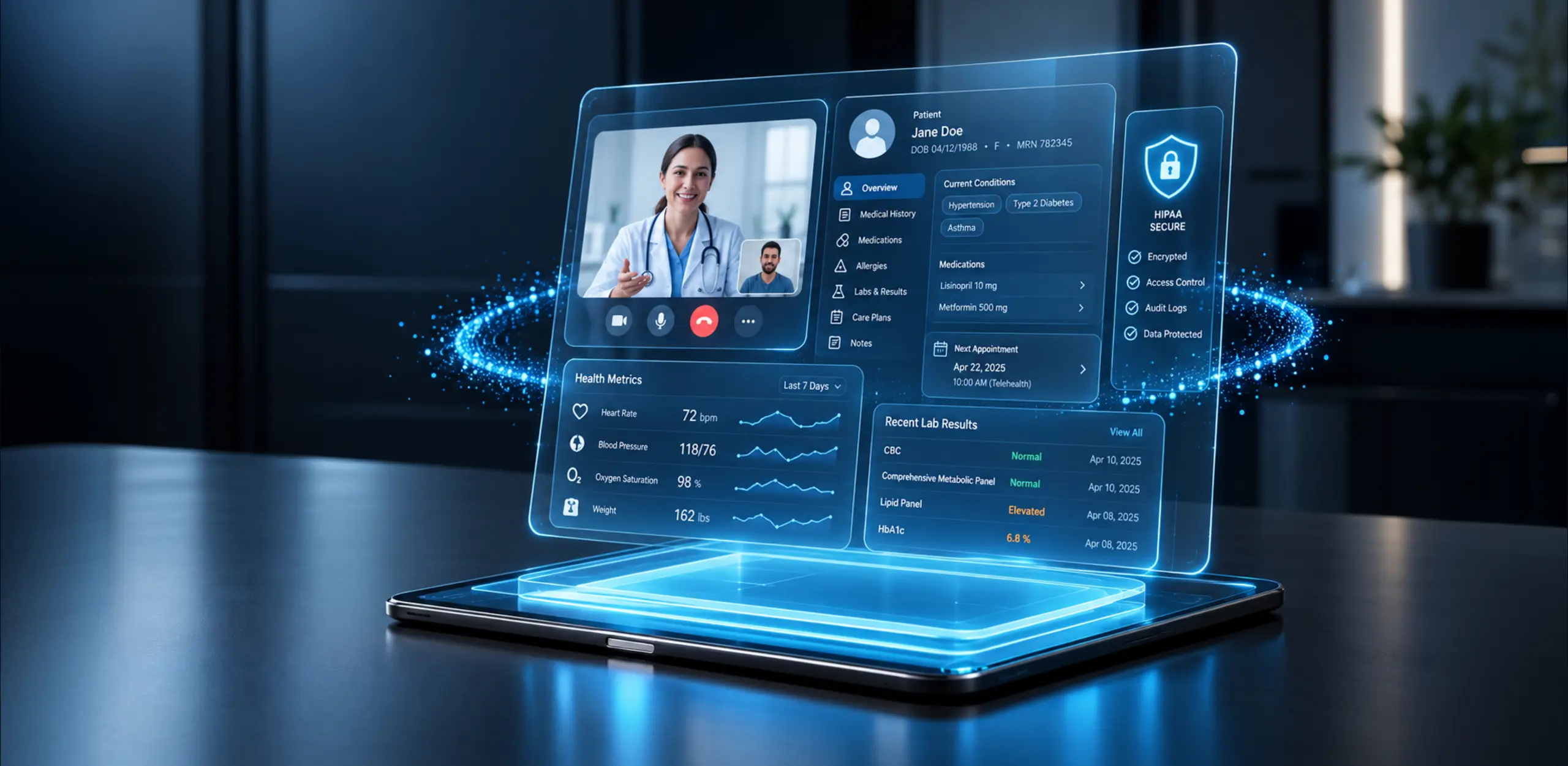
Telemedicine platforms need secure access, reliable audio, low latency, waiting rooms, recording rules, patient consent, audit trails, data residency planning, and strong mobile performance.
LiveKit works well for modern telemedicine products where speed and platform completeness matter. Mediasoup is better when the healthcare workflow needs deep customisation. Janus is useful when the platform must connect with hospital telephony or SIP systems. See Enfin’s telemedicine app development services for healthcare-specific delivery context.
For healthcare products, the WebRTC media server should be selected alongside security architecture, consent handling, audit logs, EMR/EHR integration, and post-consultation workflows.
Virtual Classrooms and EdTech Platforms
Virtual classrooms need teacher controls, student roles, screen sharing, whiteboards, recordings, breakout rooms, attendance, chat, moderation, and reliable mobile access.
LiveKit is a good fit when the EdTech team wants faster development and SDK support. Mediasoup is better for advanced classroom logic and custom layouts. Janus can work when streaming or plugin-based media workflows are needed. For education-specific architecture ideas, read Enfin’s guide on how WebRTC app development powers e-learning or review Enfin’s e-learning app development services.
AI Video Apps and Real-Time Agents
AI video products now include AI interviewers, voice agents, AI tutors, real-time transcription, meeting summaries, multilingual support, and agent-to-human conversations.
LiveKit has a clear advantage for faster AI-agent development because the surrounding platform already supports agent workflows. Mediasoup can support custom AI media pipelines, but more custom engineering is required. Janus can support gateway-based AI routing, but the surrounding architecture must be carefully designed.
AI workflow | Best fit | Why |
AI voice or video agents | LiveKit | Agent framework and room participation model |
Custom AI media pipeline | Mediasoup | Low-level control over media routing and custom workers |
Gateway-based AI media flow | Janus | Useful when SIP, RTP, or enterprise gateway logic is involved |
Streaming, Broadcast, and Webinar Workflows
Streaming and webinar platforms have different requirements from meeting apps. Many viewers may only subscribe, a small number of hosts may publish, and the product may need RTMP, WHIP, WHEP, HLS, recording, or external encoder workflows.
LiveKit is strong when the product needs integrated room, ingress, egress, and recording workflows. Janus is strong where custom broadcast plugins or media bridging are important. Mediasoup is strong when the team needs deep control over RTP, stream distribution, or custom broadcast logic. For broader implementation planning, review Enfin’s video streaming app development services.
Decision Framework: Which WebRTC Media Server Should You Choose?
Requirement | Recommended server | Practical reason |
SIP/PBX/contact centre integration | Janus | Gateway and plugin model fits enterprise telephony workflows |
Custom SFU architecture | Mediasoup | Best for teams that want full media-layer ownership |
Fast MVP and faster production delivery | LiveKit | SDKs, APIs, rooms, recording, and cloud options reduce build effort |
AI voice/video agents | LiveKit | Agents can participate in realtime rooms and publish responses |
Custom AI media extraction and processing | Mediasoup | Low-level control supports specialised pipelines |
Recording-first app | LiveKit | Egress APIs make room and track export easier |
Low-latency broadcast with external encoder input | LiveKit or Janus | LiveKit supports ingress workflows; Janus supports plugin-led media bridging |
Highly regulated enterprise workflow | Depends | Choose after reviewing deployment model, data flow, recording, retention, and observability |
Operational Factors That Matter More Than Feature Lists
A serious decision of choosing the right media server should include operational modelling. The following factors usually matter more than a successful demo.
Room Size and Concurrency
A product with 1,000 rooms of three users is different from 10 rooms of 300 users. Your WebRTC media server architecture should match the real room distribution, not a generic concurrency number.
Publishing vs Viewing Ratio
Not every participant sends video. A webinar, classroom, doctor consultation, and team meeting all have different publish and subscribe patterns. This affects bandwidth, CPU usage, device load, and scaling.
TURN Bandwidth Cost
TURN relay usage can become expensive when users are behind restrictive networks. Many MVP budgets ignore this until the first cloud bill arrives.
Recording Architecture
Recording affects CPU, storage, egress, compliance, retention, and playback. It should be planned early, not added later as a patch.
Mobile Performance
The WebRTC media server choice is only one part of mobile performance. Battery usage, CPU load, network switching, camera handling, codec support, and adaptive quality matter just as much.
Observability
Production WebRTC systems need visibility into packet loss, jitter, round-trip time, bitrate, reconnects, failed joins, TURN usage, room events, and quality drops. Without observability, support teams end up guessing.
Common Mistakes Businesses Make
Many companies choose the wrong RTC stack because they focus on demos, GitHub popularity, or generic feature lists instead of product behaviour and operational reality.
- Choosing Janus without actually needing SIP, PBX, RTP bridging, or plugins.
- Choosing Mediasoup without WebRTC engineering expertise.
- Choosing LiveKit without reviewing long-term cost, dependency, and API fit.
- Treating webinars and meetings as the same architecture.
- Ignoring TURN usage and NAT traversal cost.
- Adding recording too late in the architecture.
- Not testing weak networks, packet loss, network switching, and low-end devices.
- Ignoring mobile CPU, battery, codec, and camera behaviour.
- Not planning observability and quality diagnostics.
- Underestimating DevOps effort for self-hosted media infrastructure.
- Choosing for MVP speed without checking future scalability or compliance requirements.
The decision of choosing the right WebRTC server should come from product behaviour, not technical hype.
How Enfin Evaluates WebRTC Media Server Choices Before Development
At Enfin Technologies, we treat media server selection as an architecture decision, not a library decision. Before recommending Janus, Mediasoup, LiveKit, or a hybrid approach, the product must be mapped against real user behaviour and operational constraints.
- User roles: host, co-host, doctor, patient, teacher, student, moderator, agent, viewer, admin.
- Session model: one-to-one, group rooms, webinars, virtual classrooms, broadcast, or hybrid consultation flows.
- Concurrency model: number of rooms, users per room, publishers per room, subscribers per room, and region distribution.
- Media requirements: camera, microphone, screen sharing, whiteboard, data channels, captions, transcription, translation, and recordings.
- Network reality: expected mobile usage, weak networks, firewall restrictions, TURN relay probability, and regional latency.
- Compliance needs: consent, retention, audit trails, data residency, access control, and healthcare or enterprise requirements.
- AI roadmap: whether AI will listen, speak, summarise, moderate, translate, or participate as an agent.
- Operations: hosting model, scaling strategy, monitoring, alerts, logs, media quality analytics, and support workflows.
This evaluation helps prevent two common failures: selecting a platform that is fast but restrictive, or selecting a low-level SFU that is flexible but too expensive to deliver and maintain.
Final Verdict: Janus vs Mediasoup vs LiveKit
Here is the direct Janus vs Mediasoup vs LiveKit recommendation.
Janus is best when you need a flexible WebRTC gateway for SIP, PBX, streaming, plugins, RTP workflows, or custom media bridging. It is powerful, but it needs strong technical expertise.
Mediasoup is best when you want deep control over the SFU layer and have the engineering maturity to build a custom platform around it.
LiveKit is best when you want to build and scale a modern video app faster with SDKs, APIs, room management, recording, self-hosting, cloud options, ingress, egress, and AI-agent support.
For most commercial video products, LiveKit is often the fastest and most practical starting point. For complex custom platforms, Mediasoup offers stronger architectural control. For SIP, telephony, contact centre, and gateway-heavy products, Janus is usually the better fit.
The best WebRTC media server is the one that matches your product roadmap, team strength, compliance needs, cost model, and scalability plan.
Why Work With Enfin for WebRTC App Development?
Choosing the media server is only the first step. The real challenge is building a production-ready communication platform around it.
Enfin Technologies helps businesses design and build scalable WebRTC solutions for video conferencing, telemedicine, EdTech, live streaming, enterprise collaboration, customer support, and AI-powered communication platforms. Learn more about Enfin’s WebRTC app development services and broader real-time communication expertise.
Our WebRTC app development approach focuses on selecting the right architecture, designing scalable real-time infrastructure, building secure video workflows, planning TURN/STUN/media routing, supporting recording and playback, optimising browser and mobile performance, integrating AI transcription and analytics, and building monitoring for real-world usage.
Get a verified WebRTC Architecture Blueprint
Stuck between infrastructure control and speed to market? Do not risk architectural lock-in on an unoptimised media stack. Share your target concurrent user volumes, regions, and network conditions, and Enfin will help map the right WebRTC architecture for your product.
F. A. Q.
Do you have additional questions?
Which is the best WebRTC media server for scalable video apps?
The best WebRTC media server depends on the product. Janus is best for gateway and SIP workflows, Mediasoup is best for custom SFU control, and LiveKit is best for faster scalable app development.
What is the difference between Janus, Mediasoup, and LiveKit?
Janus is a plugin-based WebRTC gateway. Mediasoup is a low-level SFU framework. LiveKit is a complete RTC platform with SDKs, APIs, room management, recording, ingress, egress, self-hosting, and cloud options.
Is Janus better than Mediasoup?
Janus is better for SIP, PBX, plugins, and gateway workflows. Mediasoup is better for custom video platforms that need deep control over media routing, signalling, and room logic.
Is LiveKit better than Mediasoup?
LiveKit is better for faster development and built-in platform features. Mediasoup is better when your engineering team needs full control over the WebRTC media layer and custom architecture.
Which WebRTC media server is best for telemedicine apps?
LiveKit is suitable for faster telemedicine product development. Mediasoup is better for highly customised healthcare workflows. Janus is useful when hospital telephony or SIP integration is required.
Can Janus, Mediasoup, and LiveKit be self-hosted?
Yes. All three can be self-hosted. However, self-hosting requires DevOps planning, TURN configuration, monitoring, scaling, security, and long-term maintenance.
Which option is best for AI video apps?
LiveKit is a strong choice for AI video apps and real-time agents. Mediasoup can support custom AI media pipelines, while Janus is useful for gateway-based AI media workflows.
Which WebRTC media server is best for large-scale video conferencing?
LiveKit is usually the fastest choice for large-scale commercial video conferencing because it offers SDKs, room management, recording, and cloud options. Mediasoup is better when the platform needs deep custom SFU control. Janus is useful when SIP or gateway integration is required.
Is Mediasoup better than LiveKit for custom WebRTC app development?
Mediasoup is better for custom WebRTC app development when your team needs full control over signalling, media routing, room logic, and participant behaviour. LiveKit is better when speed, SDK support, recording, and faster production deployment are higher priorities.
How do I choose between Janus, Mediasoup, and LiveKit?
Choose Janus for SIP, PBX, and gateway workflows. Choose Mediasoup for custom SFU architecture and advanced media control. Choose LiveKit for faster development, scalable video apps, AI agents, and a more complete WebRTC media server platform.