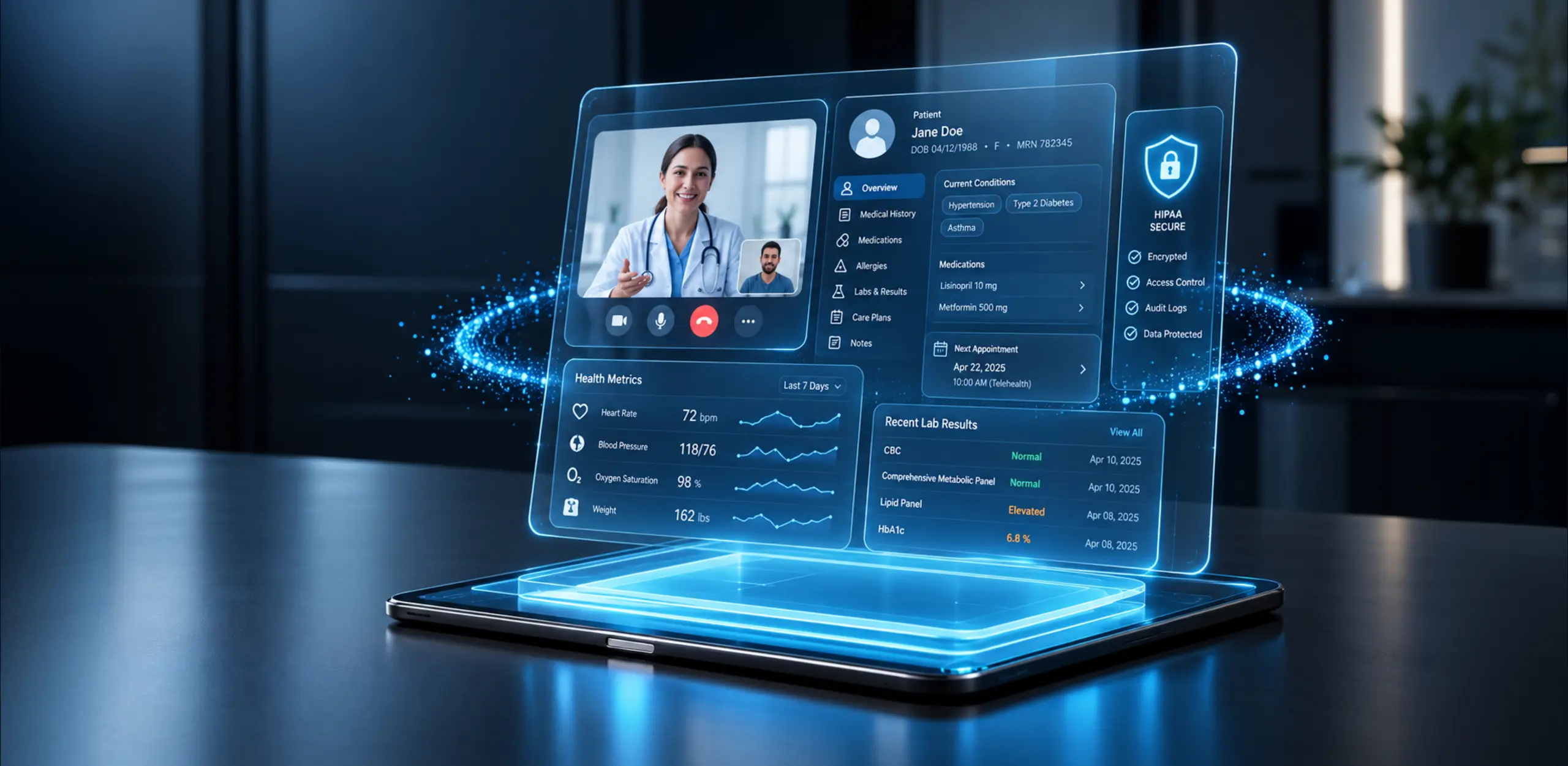

Enterprise AI assistants are the intelligence layer behind modern enterprise AI avatars. When an assistant is combined with a real-time visual and voice presentation layer – a 2D or 3D digital human – the result is a multimodal interface that can retrieve approved information, reason over context and complete authorised work. Behind the face are large language models, retrieval-augmented generation (RAG), enterprise search and tool-calling agents connected to CRM, ERP, HRIS and ITSM systems.
For organisations evaluating an AI avatar for business use in customer service, employee support, sales, public services or training, the key question is no longer whether the avatar can speak. The real question is whether the underlying enterprise AI assistant is grounded in company data, secure enough for the deployment environment and able to complete useful work. Effective AI avatar business solutions connect the human-facing experience to measurable business workflows rather than treating the avatar as a visual demonstration.
This guide is written by Enfin Technologies’ CTO and Solution Architect, with commercial review from the company’s CSO. It explains how enterprise AI assistants power digital-human interfaces, how an enterprise AI virtual assistant differs from a chatbot or standalone digital human, the architecture used to build an enterprise AI avatar platform, the security and governance required for enterprise use, and the verified HP deployment that informs Enfin’s implementation perspective.
What Is an Enterprise AI Avatar?
An enterprise AI avatar is the human-facing layer of an enterprise AI assistant. The avatar provides the voice, appearance, facial movement and interaction style, while the enterprise assistant beneath it retrieves approved knowledge, interprets intent and performs authorised actions. Depending on the workflow, the same intelligence layer may operate as an enterprise knowledge assistant, an enterprise AI digital assistant or an enterprise AI copilot without using a visual avatar at all.
This distinction matters because a visually impressive avatar can still be operationally weak. If it is not grounded in company knowledge, cannot recognise user permissions or has no connection to enterprise systems, it remains a presentation layer rather than a useful business tool. An enterprise AI avatar platform becomes valuable when the interface, knowledge, actions and governance are designed as one system.
Enterprise AI Assistants vs Avatars vs Chatbots vs Digital Humans
These categories are frequently used interchangeably, but they solve different problems. Buyers can avoid over-engineering by identifying whether they need information retrieval, task completion, a human-like interface or a combination of all three. The comparison also helps teams decide whether an enterprise assistant platform is sufficient or whether the workflow genuinely benefits from a digital-human layer.
Category | Interface | Intelligence | Business actions | Typical use |
Chatbot | Text | Rules or limited AI | Usually limited | FAQs and simple triage |
Enterprise AI assistant | Text or voice | LLM, RAG and agents | Cross-system actions | Employee productivity and self-service |
Digital human | Visual and voice | Varies | Varies | Brand engagement and kiosks |
Enterprise AI avatar | Visual, voice and multimodal | Enterprise assistant intelligence | Governed workflows | Human-like assistance that can complete work |
A chatbot is often sufficient when users need predictable answers to known questions. Enterprise AI assistants are more appropriate when answers must be grounded in company information or lead to actions across business systems. AI assistants for enterprises may appear inside productivity software, service portals or contact-centre tools without a face. A digital human is useful when presence and brand expression matter, while an avatar is appropriate when enterprise intelligence, workflow execution and human-like interaction must work together.
How Enterprise AI Assistants Power Digital Avatars
The system is a pipeline rather than a single model. Each layer has its own latency, security, quality and failure considerations. Enfin’s enterprise AI development approach treats the intelligence, integration, real-time media and avatar experience as one production architecture. This is essential when building an enterprise AI avatar platform rather than a disconnected collection of AI and rendering tools.
- Input and streaming.The user speaks or types through a browser, mobile app,kiosk or video interface. Voice-led experiences may use real-time media delivery through WebRTC. The latency budget begins at capture and continues through every downstream layer.
For deployments where low-latency voice and video are central, Enfin’s WebRTC development services can support media architecture, browser delivery and scalable real-time communication.
- Automatic speech recognition.ASR converts speech into text. Model selection should account for language coverage, accents, noisy environments, domain terminology and code-switching rather than relying on a generic accuracy claim.
- LLM, enterprise search and RAG.The transcript is sent to a language model grounded in approved enterprise sources. Enterprise searchidentifies relevant internal information, while RAG helps reduce unsupported answers by retrieving that evidence instead of relying only on the model’s parametric memory.
The reasoning layer can be custom-designed through large language model development so that model choice, retrieval, evaluation and guardrails match the workflow rather than forcing the business into a fixed vendor stack. This layer determines whether the experience behaves like a reliable enterprise knowledge assistant or a generic conversational interface.
- Agentorchestration. When the user asks for an action, the system can invoke one or more approved tools. Examples include opening a service ticket, scheduling a meeting, retrieving an order or updating a record. The same pattern can support an enterprise AI copilot inside employee software or a visual avatar presented to customers.
- Enterprise systems.Agents connect to CRM, ERP, HRIS,ITSM and internal APIs. Identity and permission checks must determine what each user can retrieve or change.
- Guardrails andaudit.Retrievals, prompts, tool calls and responses can be logged where appropriate. Grounding, refusal policies, output verification, prompt-injection defences and human escalation should be designed as control layers rather than added after launch.
- Speech and avatar rendering.Neural text-to-speech produces the response audio, while a 2D or 3D rendering engine generates lip-sync, facialmovement and visual presentation. End-to-end latency depends on the network, models, rendering choice and deployment topology.
- Analytics and evaluation.The system should capture the signals needed to assess answer accuracy, task completion, latency, escalation,satisfaction and safety. Without evaluation, the deployment becomes difficult to improve and difficult to defend commercially.
For a broader view of the technology and delivery decisions involved, read Enfin’s AI Avatar Development Company Guide 2026. It covers the journey from use-case discovery and model selection to integration, testing and rollout, including the decisions required to turn an enterprise AI virtual assistant into a production-ready experience.
Plan the Right Enterprise AI Avatar Architecture
Core Capabilities of Enterprise AI Assistants and Avatars
- Grounded answers and enterprise search. The assistant retrieves approved information and can provide traceable source references where the interaction requires verification or auditability.
- Real-time visual and voice interaction. Depending on the environment, the avatar can listen, speak and respond visually with latency targets defined for the complete pipeline.
- Workflow execution. The system can move beyond answers to open tickets, book appointments, update records and trigger approved processes through APIs and tool calling.
- Multilingual experiences. A shared intelligence layer can support several languages, provided the chosen ASR, TTS, knowledge and evaluation stack performs adequately in each one.
- Brand and persona control. Voice, appearance, language, interaction style and escalation behaviour can be configured by use case, region and audience.
- Omnichannel delivery. The same intelligence layer can support web, mobile, kiosks, contact centres and asynchronous channels while adapting the presentation layer to each surface.
- Human escalation. Low-confidence, sensitive or user-requested interactions can be transferred to a human with the relevant conversation context.
- Continuous evaluation. Accuracy, containment, latency, satisfaction and safety signals can be monitored and used to improve the deployment over time.
Enterprise AI Assistant and Avatar Use Cases by Business Function
The most effective opportunities begin with a specific workflow, not a broad ambition to create a general-purpose digital employee. AI assistants for enterprises can support many of the same workflows without a visual layer; the avatar should be added where presence, guidance or brand interaction improves the experience. The table below outlines common patterns considered during enterprise engagements.
| Business function | Example workflow | Connected systems | Expected outcome | Useful KPIs |
| Customer service | Tier-1 triage, account lookups, status updates and returns | CRM, knowledge base, ticketing | Faster resolution and lower cost per contact | Containment, AHT, CSAT |
| Employee support | IT helpdesk, HR questions, policy guidance and onboarding | HRIS, ITSM, knowledge base | Ticket deflection and faster answers | Deflection and time to resolution |
| Sales | Product discovery, qualification and meeting scheduling | CRM, calendar, product catalogue | More qualified next steps and shorter cycles | Conversion and meetings booked |
| Training and onboarding | Guided walkthroughs, role-play and assessment | LMS, HRIS, content repositories | Consistent learning and faster ramp-up | Time to proficiency and scores |
| Healthcare | Scheduling, member support and approved administrative guidance | EHR/EMR, payer and scheduling systems | Improved access and lower administrative burden | Completion, NPS and adherence |
| Banking | Account servicing, card support and application-status guidance | Core banking, CRM and identity systems | Higher digital adoption and reduced branch load | Containment and digital CSAT |
| Public services | Information kiosks, form guidance and multilingual assistance | Identity, case management and knowledge base | More inclusive access to services | Service time and language coverage |
Training and customer-experience programmes require different personas, interaction patterns and success metrics. Enfin’s article on AI avatar development for training and customer experience explains how an enterprise AI virtual assistant can be adapted for learning, guided support and customer-facing experiences without using one generic interaction model.
When an Enterprise AI Avatar Is – and Is Not – the Right Choice
A visual avatar is worth the additional design, rendering and operating complexity when human-like presence materially improves the experience. Strong candidates include guided kiosks, multilingual concierge services, training simulations, product demonstrations and customer journeys where voice and visual expression reduce friction.
A text or voice enterprise assistant may be the better choice when users already work inside productivity tools, speed matters more than visual presence, accessibility requirements favour a simpler interface or the additional rendering cost cannot be justified. In those cases, an enterprise AI digital assistant or enterprise AI copilot can deliver the intelligence and workflow value without a visual persona.
The decision should follow the workflow. Adding a face to an assistant does not automatically improve task completion, trust or ROI.
Business Outcomes and ROI Metrics
The right measurement framework connects system performance with revenue, operating cost, user experience and risk. Most deployments should focus on two or three metrics that directly reflect the chosen workflow.
- Task-completion rate. The share of conversations that end with the requested authorised action completed, not merely discussed.
- Resolution or containment rate. The share of interactions resolved without human intervention, where self-service is an appropriate goal.
- Escalation rate. The proportion of conversations transferred to a person and the reasons for transfer.
- Response latency. The time from user input to the first useful response. Acceptable thresholds depend on the channel and task.
- Answer accuracy. Human-evaluated correctness against a representative set of real questions and expected answers.
- Customer or employee satisfaction. Feedback captured after the conversation or completed workflow.
- Conversion rate. The share of relevant sessions that result in a qualified next step, booking, application or sale.
- Cost per interaction. The fully loaded operating cost across model use, rendering, infrastructure, integration and human review.
- Employee time saved. The amount of routine work returned to employees over a defined period.
A rollout rarely improves every metric at once. Establish the baseline before launch, instrument the workflow from the beginning and report the results after enough usage has accumulated to support a meaningful comparison.
Security, Governance and Responsible Deployment
Enterprise readiness is determined by the complete system, not the appearance of the avatar or the model name. Enterprise AI assistants and avatars share the same core governance obligations around identity, data, tools, evaluation and human oversight. Treating security as a final-stage checklist often creates approval delays, redesign work and avoidable production risk.
Identity, permissions and data controls
- Role-based access control. Users should only retrieve or change information allowed by their identity and role. Permission-aware retrieval must be enforced within the knowledge and tool layers.
- Encryption and key management. Data should be protected in transit and at rest, with customer-managed keys supported where the architecture requires them.
- Data residency and deployment. Private cloud, customer VPC or on-premise options may be supported where the selected models, rendering components and infrastructure permit them.
Model and agent security
- Hallucination mitigation. Grounding, source references, model selection, output verification and refusal behaviour work together; no single mechanism eliminates unsupported answers.
- Prompt-injection protection. Input handling, tool permissions, system instructions, output filtering and continuous testing should limit attempts to manipulate the model or connected agents.
- Human review and escalation. Sensitive, high-risk or low-confidence workflows should include clear boundaries and a route to human decision-making.
Audit, monitoring and regulatory alignment
Regulatory alignment is a property of the entire implementation rather than the AI model alone. Deployments can be designed to support GDPR requirements or the HIPAA Security Rule through appropriate architecture, consent, access controls, vendor agreements, retention policies and subprocessor review. Formal compliance and contractual coverage must be confirmed for each project before go-live.
Implementation Roadmap for Enterprise AI Assistants and Avatars
- Choose one workflow and KPI set. Start with a clearly defined user, task,personaand measurable outcome. Avoid launching a general enterprise AI assistant without a prioritised problem or adding an avatar before the interface has a clear purpose.
- Assess knowledge and systems.Inventory data sources, permissions, ownership, update frequency, identityproviders and integration points. This work determines the quality ceiling for retrieval and actions.
- Prototype the persona and interaction.Create a non-production experience withan initial voice, appearance and conversation design. Test it with representative users and refine the persona before deep integration.
- Connect enterprise intelligence. Build the retrieval layer, integrate approvedtoolsand connect the assistant to relevant business systems. Enfin’s generative AI development services can support custom RAG, agent workflows and model integration when a standard enterprise assistant platform cannot meet the required data, control or workflow needs.
- Run security and evaluation.Validate data handling, permissions, refusalbehaviour, prompt-injection resilience, response quality and action safety against a representative evaluation set.
- Launch toa controlled cohort. Begin with a limited audience, monitor outcomes and expand only after the system meets agreed quality, reliability and safety thresholds.
A focused proof of concept may take several weeks, while a rollout involving custom avatar design, RAG, several system integrations and formal governance review may require several months. Actual delivery depends on the use case, integration surface, infrastructure and regulatory requirements.
Custom Development, Enterprise Assistant Platform or Hybrid Deployment?
Approach | Best suited to | Main advantage | Main trade-off |
Custom development | Brand-critical, regulated or proprietary experiences | Maximum control over intelligence, data and experience | Higher investment and longer delivery |
Off-the-shelf platform | Narrow use cases with standard integrations | Fastest route to a usable experience | Vendor constraints on models, data and customisation |
Hybrid implementation | Enterprises that need speed plus control | Reuse the presentation stack while customising RAG, agents and governance | Requires careful integration ownership |
For many enterprises, a hybrid approach offers a practical balance between deployment speed, customisation and control. The presentation and speech stack may come from an existing enterprise AI avatar platform, while the organisation retains control over enterprise search, RAG, agents, integrations and governance. The correct choice still depends on whether the experience is a differentiating product, a regulated workflow or a standard support capability.
Once the deployment model is clear, the next challenge is evaluating the provider. Enfin’s guide to hiring an AI avatar development company provides a deeper vendor-selection framework covering experience, architecture, ownership, security and long-term support.
How Enfin Built AI Avatars for HP
Enfin’s published HP AI avatar success story provides a first-hand example of how an enterprise AI assistant can be presented as a digital human for a live brand experience without being reduced to a visual demo.
The challenge
HP wanted to improve the attendee experience at a major technology event in Las Vegas by providing easier access to event information and product details through interactive AI-powered avatars.
The solution
- Concierge avatar. Guided attendees through sessions, speakers, schedules, navigation and event highlights using real-time interaction and natural-language processing.
- Product avatar. Helped attendees explore product information, specifications, features and use cases through a conversational experience rather than a static display.
The published case study confirms that the avatars used AI, natural-language processing, personalised responses and real-time interaction. Additional implementation details should only be presented publicly when verified by the delivery team.
Published outcomes
Enfin’s case study reports improved access to information, more efficient delivery of event and product details, positive attendee feedback on ease of use and responsiveness, and support for product engagement. Numeric latency, containment, conversion and uptime metrics have not been publicly disclosed and are therefore not claimed here.
Turn Enterprise Knowledge into a Human-Like Experience
Questions to Ask an Enterprise AI Assistant or Avatar Provider
A credible provider should be able to explain whether the proposed solution is a standalone enterprise assistant platform, a custom enterprise AI avatar platform or a hybrid of the two. The following questions should be answerable during the first technical and commercial discussions:
- How is end-to-end latency measured across ASR, retrieval, generation, speech and rendering?
- Which language models and deployment options are supported, and can the organisation bring its own model?
- How is enterprise knowledge grounded, refreshed and filtered by user permissions?
- Which systems and tools can the assistant access, and how are actions authorised and audited?
- How are accuracy, hallucinations, prompt injection and unsafe tool calls evaluated before launch?
- Who owns the avatar persona, voice, appearance, conversation data and configuration if the provider changes?
For a more detailed evaluation framework, use the AI avatar provider hiring guide before shortlisting a development partner.
Build the First Version Around One Measurable Workflow
Enterprise AI assistants are most valuable when knowledge retrieval, workflow execution and governance are designed around a specific user need. A visual avatar should be added when presence, guidance or brand interaction materially improves that workflow. The strongest AI avatar business solutions rarely begin as a general digital employee; they begin with one defined audience, one measurable task and one clear reason for using a digital-human interface.
Enfin combines AI virtual avatar development, conversational AI, enterprise search, enterprise intelligence and real-time communication to build experiences that are useful beyond the demo. Whether the requirement is an enterprise knowledge assistant, an enterprise AI digital assistant, an enterprise AI copilot or a complete avatar platform, the right starting point is one workflow, one persona and one KPI set.
Start with One Workflow, One Persona and One KPI Set
F. A. Q.
Do you have additional questions?
What is an enterprise AI avatar?
It is a multimodal digital-human interface powered by an enterprise AI assistant. Enterprise AI assistants provide the knowledge, reasoning and authorised actions; the avatar adds voice, appearance and visual interaction. The combined system can speak, listen, respond visually and complete approved tasks across connected systems, depending on the deployment.
Is an enterprise AI avatar the same as an AI assistant?
No. The enterprise AI assistant is the intelligence layer that retrieves information, reasons and performs actions. The avatar is the visual and voice interface placed on top of that intelligence. Enterprise AI assistants can exist without avatars inside search tools, employee applications, service portals or contact-centre software.
How is an AI avatar different from a chatbot?
A chatbot is usually text-led and focused on answering questions or completing simple flows. An avatar can add voice, visual expression and a stronger sense of presence, while an enterprise implementation may also connect to knowledge and business systems.
How does an enterprise AI avatar access company data?
It can use retrieval-augmented generation over approved, permission-aware enterprise sources. Where appropriate, responses can include traceable source references for verification and auditing.
Does the model train on the organisation’s data?
Not necessarily. Whether data is used for model training depends on the selected provider, deployment configuration and contractual terms. Enterprise projects should confirm retention, training, privacy and subprocessor conditions before launch.
Can an avatar complete tasks across enterprise systems?
Yes, when approved agents and tools are connected to systems such as CRM, ERP, HRIS, ITSM or internal APIs. Actions should be permissioned, logged and limited to the user’s authorised scope.
Can an enterprise AI avatar run in a private cloud or on-premise?
Private-cloud, customer-VPC or on-premise deployment may be possible where the selected models, speech services, rendering components and infrastructure support it.
What affects enterprise AI avatar cost?
The main factors include avatar realism, channels, languages, model usage, knowledge preparation, integrations, expected interaction volume, deployment environment, security controls and ongoing evaluation. A proof of concept usually begins with one persona and workflow, while a wider rollout may cover several systems, channels and regions.
How long does implementation take?
A focused proof of concept may take several weeks. A production rollout involving custom design, enterprise RAG, integrations, governance and security review may require several months. The timeline depends on the workflow and implementation complexity.
When is a visual avatar unnecessary?
A text or voice assistant may be sufficient when visual presence does not improve the task, users already work inside productivity tools or the additional rendering and design complexity cannot be justified by the business outcome.